The Knot: How to Find a Couple
A guest walkthrough for finding a couple on The Knot: the step-by-step search, fixes when the name lookup fails, reaching the registry another way, and the etiquette that matters.
You have the invitation in your hand, or maybe just a text that says "details are on our website", and now you need to actually find the couple's page. That is what The Knot Find a Couple search is for: a guest tool that looks up a couple by name and takes you to their wedding website to RSVP, check the venue and timing, or reach the registry. It is simple when the search works, and quietly frustrating when it does not. This is a plain walkthrough of how to find a couple on The Knot as a guest, what to do when the name search comes up empty, how to reach the registry another way, and the one piece of etiquette that matters more than any of it.
The short version
- Search by both names and city. The couple's names plus the wedding location is the most reliable lookup.
- A direct link always beats the search. If they sent a website address, use it and skip the finder entirely.
- No result is not a dead end. Registries and websites live in a few places; try the ones in the table below.
- Do not share a couple's page. Some sites are private or password protected for a reason.
What "Find a Couple" actually does
The Knot is a wedding planning platform that gives engaged couples free, personalised wedding websites and gift registries alongside its vendor marketplace. The guest-facing search, usually labelled "Find a Couple" or a couple search, is the front door for everyone the couple invited. You type in a name, and if the couple built and published a site on The Knot, the search returns it. From that page you can typically read the event details, RSVP if the couple turned on online responses, and open the registry.
Two things are worth knowing before you start. First, this only works if the couple actually made their site on The Knot and set it to be found by name. Plenty of couples use a different platform, or keep their page unlisted, and no amount of searching will surface those. Second, the site and the registry are related but not the same thing: you can often reach a registry even when you never find the full website, which is why the fallbacks later in this article matter.
Wedding website
The couple's page: story, schedule, venue, travel and RSVP in one place.
Find a Couple
The guest search that looks up that website by the couple's names.
Registry
The gift list, reachable from the website or a separate registry search.
RSVP
Your response to the invitation, sometimes collected right on the site.
How to find a couple on The Knot, step by step



Here is the reliable path from "I need to find their page" to "I am looking at it". Work through it in order; most people land the couple by step four.
- Start from the couple search page. On The Knot, look for the guest-facing "Find a Couple" or couple search, not the planning tools aimed at engaged couples. It is a separate lookup meant for guests.
- Enter both partners' names. Use first and last names if you have them. One full name plus the partner's first name is usually enough, and searching both is far more precise than searching one.
- Add the wedding location or date if the search allows it. A city or state narrows a common name dramatically. If you know the month of the wedding, that helps too.
- Scan the results for the right match. Common names return more than one couple. Match on the location, the wedding date, or the couple's photo before you click through.
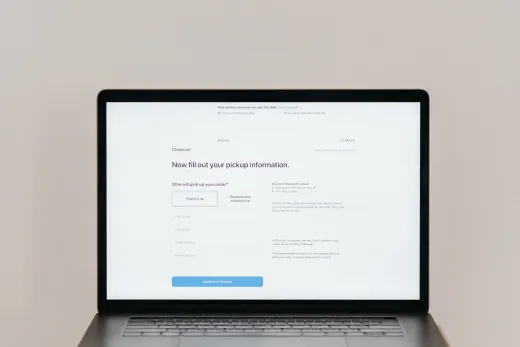
- Open their wedding website. Once you are on the right page, you will usually see the schedule, venue, travel notes and an RSVP button if they enabled online responses.
- Enter a password if prompted. Some couples protect their page. The password is normally printed on the invitation or the save-the-date; use exactly what they gave you.
- RSVP or open the registry. Respond to each event you were invited to, and follow the registry link from the site if you are shopping for a gift.
The shortcut most people miss: if the couple sent you a direct web address, a QR code, or a custom link, use that instead of the search. A direct link takes you straight to the correct page and removes every guessing game about spelling, city and duplicate names. The Find a Couple search is the backup for when you do not have the link, not the primary route.
Why the name search sometimes fails
When a search returns nothing, it is rarely because you did something wrong. It is almost always one of a handful of ordinary reasons, and each one has a different fix.
A blank result is a fork, not a wall. Each branch below is a separate, workable route to the page or the gift list.
If the search fails, try this
Match your situation to the most likely cause, then take the matching action. Work down the list; the fixes near the top solve the majority of blank searches.
| What is happening | Likely reason | What to try |
|---|---|---|
| No results at all | Name spelled differently than you typed | Try nicknames, maiden names, married names and common spelling variants |
| Too many results | A common name with no location | Add the city, state or wedding month to narrow the list |
| Right names, wrong couple | Two couples share the same names | Match on the wedding date, venue city or the couple's photo before clicking |
| Still nothing found | Their site is on a different platform | Search the web for their names plus "wedding website", or ask them directly |
| Found them, page is locked | The site is password protected | Check the invitation or save-the-date for the password, or message the couple |
| Only need to send a gift | You do not need the full site | Use a registry search by the couple's names instead of the couple finder |
| They say they have no site | The couple never built one | Ask how they would like the RSVP and gift handled, then follow that |
How to reach the registry a different way
Sometimes all you actually want is to send a gift, and hunting for the whole wedding website is more effort than the task deserves. The registry can usually be reached on its own, without ever opening the couple's full page.
- Use a registry search rather than the couple finder. Many platforms, including The Knot, offer a dedicated registry lookup that returns the gift list directly when you enter the couple's names.
- Check the invitation stationery. Registry details, or a link to them, are frequently printed on an insert card, a save-the-date, or a small line on the invitation itself.
- Ask a member of the wedding party. A parent, sibling or close friend of the couple almost always has the registry link and will happily forward it.
- Search the couple's names with the word "registry". If they registered on a mainstream service, a plain web search often surfaces the list even when the couple finder does not.
If you want to understand where the registry sits inside the wider picture of a couple's wedding website and search presence, our overview of the The Knot couple finder explains how the search, the website and the registry connect, and is the companion piece to this hands-on guide.
The etiquette of finding someone's wedding page
A wedding website is public in the narrow sense that a search can find it, but it is personal in every sense that matters. Guests handle it best when they treat the page as they would a private address the couple chose to share with them, not as open information to pass around.
An RSVP is a request to please respond, and responding promptly is the single most useful thing you can do with the page once you find it. The couple's final headcount, seating and catering all hang on your answer, so reply to every event you were invited to, and reply on time rather than at the deadline.
One rule that is not optional: do not share a private couple's page, its password, or its registry with people who were not invited. If a site is password protected or unlisted, the couple has deliberately limited who sees it. Forwarding the link, posting it in a group chat, or handing the password to a plus-one the couple did not name undoes that choice. When in doubt, ask the couple before you pass anything along.
A few more small courtesies go a long way. Respond for the specific people named on your invitation and no more, since a wedding is priced and seated per guest. If your plans change after you RSVP, update the couple as early as you can rather than leaving them guessing. And if the site asks for a meal choice, dietary note or song request, fill it in properly; those fields exist because the couple wants the answer, and a blank one just becomes a follow-up message they have to chase.
When there is no website to find at all
Not every couple builds a wedding website, and that is entirely normal. If your searching keeps coming up empty and the couple confirms they never made one, the modern tools simply do not apply, and you fall back on the timeless ones: reply directly to whoever sent the invitation, ask them how they would like gifts handled, and confirm the practical details, venue, time and dress code, by message or phone.
The Knot and its sibling brands grew precisely because coordinating all of that by hand is tedious, and a well-built website removes most of the back and forth. If you are curious about the platform itself, its history and the range of tools it offers couples, The Knot Worldwide is documented in reasonable detail. But the absence of a page changes nothing about your job as a guest: respond, show up, and be easy to plan around.
If you are reading this because your own wedding is coming and you are thinking about how guests will find and RSVP to you, that is a planning decision worth making early. Our wedding planning checklist sequences when to set up a website and send save-the-dates, and our wedding invitations guide covers how to word an RSVP and point guests to your page so searches like this one never fail in the first place.
Frequently asked questions
How do I find a couple on The Knot as a guest?
Go to the guest-facing couple search, often labelled "Find a Couple", and enter both partners' names. Adding the wedding city, state or date narrows the results, which matters for common names. Pick the correct match by checking the location, date or the couple's photo, then open their wedding website to see the details, RSVP, or reach the registry. If the couple gave you a direct link or QR code, use that instead, since it skips the search entirely.
Why can I not find the couple on The Knot?
Usually one of a few ordinary reasons: the name is spelled differently than you typed, the couple built their site on a different platform, they kept the page unlisted, or they never made a website at all. Try spelling variants, maiden and married names, and add a location to your search. If it still fails, search the web for their names plus "wedding website", or simply ask the couple or a member of the wedding party for the link.
Can I find the registry without the wedding website?
Yes. Many platforms, including The Knot, have a dedicated registry search that returns the gift list directly from the couple's names, with no need to open their full site. You can also find registry details on the invitation stationery, ask a close friend or family member of the couple, or search the couple's names with the word "registry". Any of these can reach the gift list when the couple finder does not.
Is a couple's wedding website private?
It depends on how the couple set it up. Some sites are searchable by name, while others are unlisted or password protected so only invited guests can see them. Treat every page as personal regardless. Do not share the link, the password, or the registry with anyone who was not invited, because a couple who limited access did so deliberately, and forwarding it undoes that choice.
What if the couple never made a wedding website?
Then fall back on the direct route: reply to whoever sent the invitation, ask how they would like gifts handled, and confirm the venue, time and dress code by message or phone. A website is a convenience, not a requirement, and plenty of couples skip it. Your responsibilities as a guest are unchanged: respond promptly, respond only for the people named on your invitation, and update the couple quickly if your plans change.